ThoughtWorthSharing HowTo
As part of the serie of article about UDO, I am sharing information about existing Procedures.
OOTB provides a list of default and sample procedures, that are already available to the user through user preferences.


This chapter will explain in a functional and simplified way what are the steps executed by each Default Procedures.
[F1] FASTENER: Load Fasteners and Fasten EBOM Items from EBOM Items

[I1] ITEM: Create/Update MBOM Items from Their EBOM Definition

[I2] ITEM: Create/Update MBOM Items from Their MBOM Definition
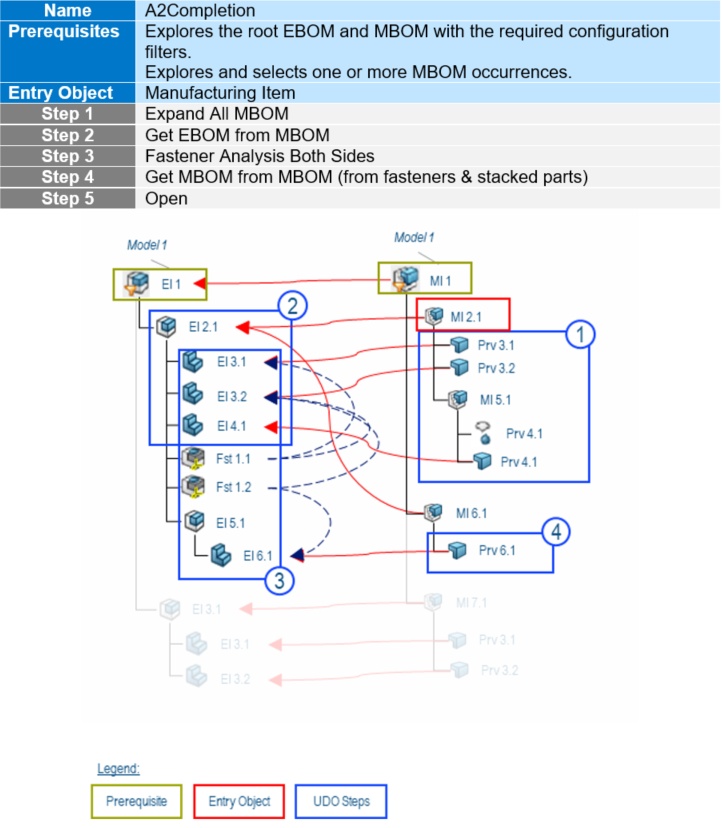
[I3] ITEM: Load MBOM Items from Volume Filter
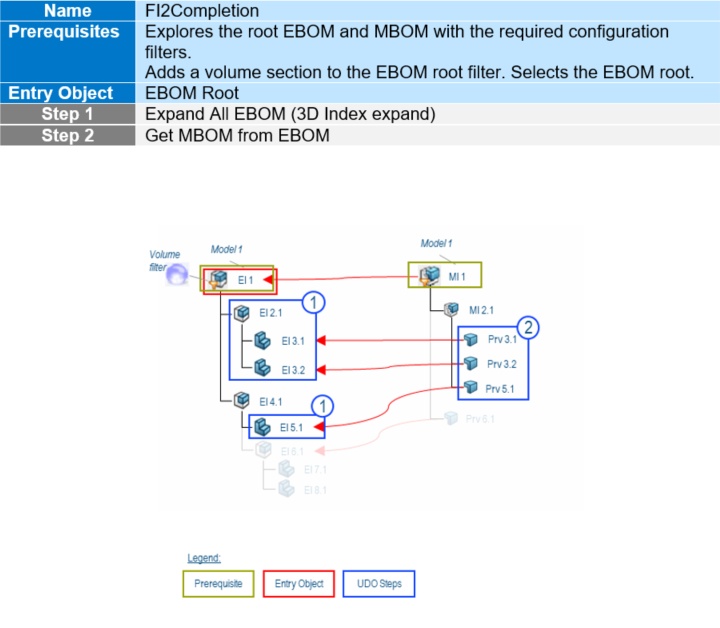
[I4] ITEM: Load Small Assembly or Install
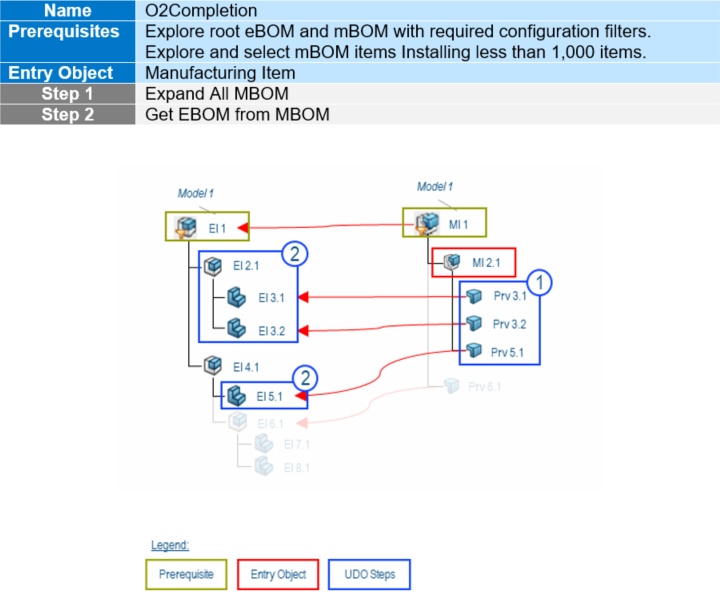
[I5] ITEM: Load mBOM Items installed by the selected Install and before but closer than 500mm

[S1] SYSTEM: Load Resources and MBOM Items Operated by a Line Subsystem

[W1] WORKPLAN: Create a Workplan to Produce an MBOM Item

[W2] WORKPLAN: Edit a Workplan to Assign MBOM Items to Operations

[W3] WORKPLAN: Edit a Workplan to Add or Update Its Work Instructions and Resources
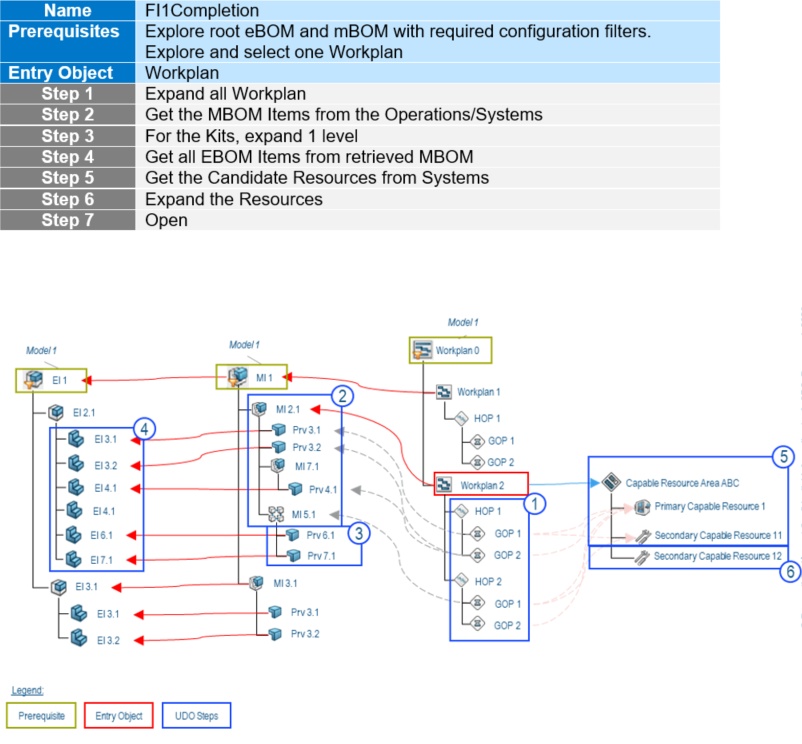
[W4] WORKPLAN: Edit a Workplan Producing a Small Assembly or Install
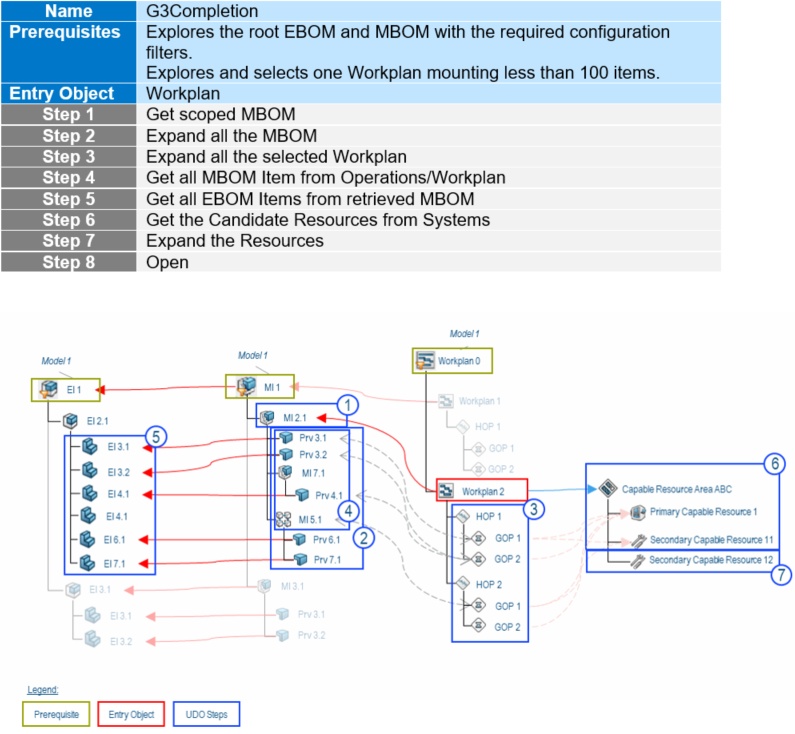
[W5] WORKPLAN: Load MBOM Installed by the Selected Workplan and Predecessor but Closer Than 500 mm and All Associated Resources

[R1] RESOURCES: Retrieve Resources Linked to the Selected Workplan Entities


